Free RAMS Template Download vs RAMS Software — Which is Better?
Should you use a free RAMS template or RAMS software? Pros and cons of each approach for UK builders, contractors, and sole traders.
7 min read
TL;DR
Should you use a free RAMS template or RAMS software? Pros and cons of each approach for UK builders, contractors, and sole traders.
The Two Options
When you need a RAMS for a job, you've essentially got two choices: download a free Word template and fill it in manually, or use dedicated software that generates one from your job details. Both can produce a valid document — but the experience, time investment, and quality are very different.
Free templates are everywhere online. HSE, CITB, and dozens of health and safety consultancies offer downloadable Word or PDF documents with blank fields for you to fill in. The appeal is obvious — they're free, they're familiar, and you can start right now.
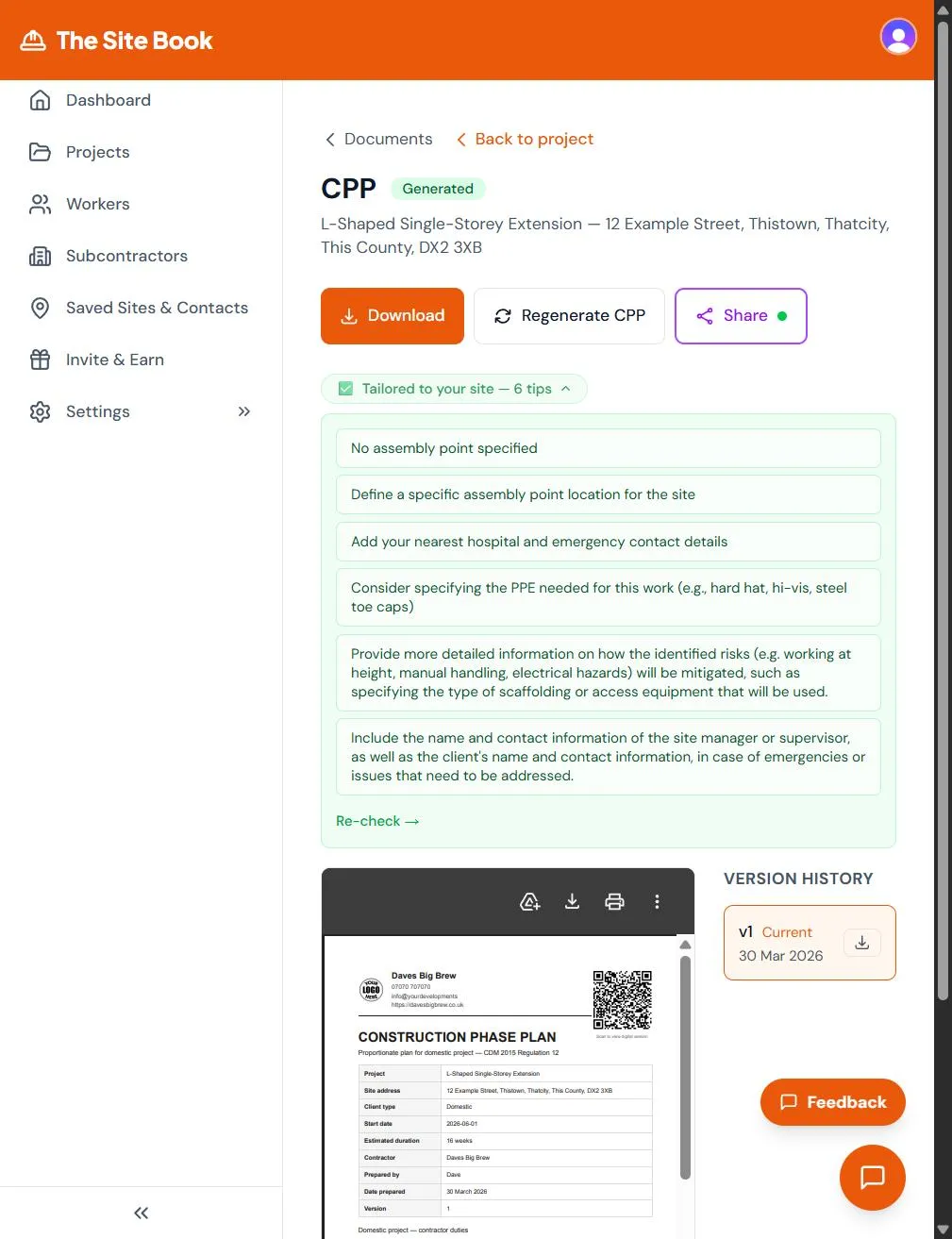
RAMS software like The Site Book takes a different approach. You describe your job — "loft conversion, steel beam, working at height, old building" — and the system identifies relevant hazards, generates control measures, and produces a formatted document you can review, edit, and share.
What Makes a Good RAMS?
Regardless of how you create it, a good RAMS needs to be site-specific. That means it covers the actual hazards present on the actual job you're about to do — not a generic list of every possible construction hazard. It needs proper control measures (not just "wear PPE"), realistic risk ratings, and enough detail that a worker reading it on site can understand what to do and what to avoid.
Principal contractors and HSE inspectors can spot a generic RAMS immediately. If your document says "working at height — use harness" but the job is a ground-floor kitchen refit, it's clear nobody actually assessed the risks. A good RAMS demonstrates that someone competent thought about this specific job and planned how to do it safely.
How Much Time Does Each Take?
This is where the biggest difference shows. A free template gives you a blank form. You still need to:
- Research which hazards apply to your specific job
- Write control measures for each hazard in your own words
- Figure out risk ratings (likelihood x severity matrices)
- Format the document so it looks professional
- Work out how to get it signed by your workers
For your first RAMS, expect this to take 2-3 hours minimum. And because you're starting from scratch each time, the second job doesn't get much quicker unless it's almost identical.
RAMS software pre-loads construction-specific hazards and control measures. You provide the job details, review what's generated, tweak anything specific to the site, and download. Typically 10-15 minutes from start to finished PDF, including review time.
Real-World Comparison: Kitchen Extension RAMS
Let's walk through creating a RAMS for a single-storey kitchen extension — foundations, structural steel beam, connection to existing drainage — using each method.
Template approach: Download a Word template. Spend time identifying which hazards apply: excavation near existing foundations, manual handling of concrete and steel, working with existing drainage and services, temporary structural support, dust and noise. For each hazard, research appropriate control measures — what depth needs trench support? What PPE for concrete work? Write it all up, format the table, add your company details, save as PDF. Total time: 2-3 hours for the first one, assuming you know the regulations well enough to write competent control measures.
Software approach: Type "single-storey kitchen extension, foundations, steel beam, existing drainage connections" into The Site Book. The system identifies excavation hazards, manual handling of structural steel, service strike risks, dust and noise, working near existing structures. Each hazard comes with pre-written, specific control measures drawn from a construction-specific database. Review the output, add a note about the neighbour's conservatory being close to the dig, download the PDF. Total time: 10-15 minutes including review.
What About Compliance?
A principal contractor reviewing your RAMS doesn't care how you made it — they care that it covers the right hazards with specific, realistic control measures. A well-made template RAMS is genuinely better than a poorly-reviewed software RAMS. The document itself is what matters, not the tool that created it.
That said, the advantage of software is consistency. It won't forget that excavation near existing buildings needs monitoring for settlement. It won't miss the manual handling assessment for steel beams. It won't accidentally leave out the emergency procedures section because you were rushing to get on site. Those common hazards are in the database, and they show up every time they're relevant. For a full breakdown of what belongs in a RAMS, read our guide on what to include in your RAMS.
Hidden Costs of Free Templates
The template itself is free, but the hidden costs add up quickly:
Risk of missing hazards. When you're writing from scratch, you can only include hazards you know about. If you've never worked near underground services before, you might not think to include service strike risks. Software built on a construction hazard database catches things you might miss — and a missed hazard that leads to an incident is the most expensive kind of "free."
Version control problems. After a dozen jobs, which template did you use on which site? When a client asks for the RAMS from their kitchen extension six months ago, can you find it? Are you sure it's the final version and not the draft? Software keeps a complete history of every document, every version, every edit.
No audit trail. Can you prove your workers actually read and understood the RAMS before starting work? A signed Word document could have been signed after the fact. Digital sign-off with timestamps, IP addresses, and device information creates an audit trail that holds up to scrutiny.
Sharing headaches. Emailing PDFs back and forth creates version confusion — which attachment is the latest? A secure share link that always points to the current version solves this permanently. Workers access it on their phone on site, and you can see who's viewed and signed it.
The Verdict
If you do one job a year and you're comfortable writing your own risk assessments from scratch, a free template works fine. You'll spend a few hours, but the cost is just your time.
If you're running multiple jobs, working with subcontractors, or need to produce RAMS regularly, the time savings and consistency of dedicated software pay for themselves within the first week. The question isn't really "free vs paid" — it's "how much is 2-3 hours of your time worth, multiplied by every job?"
FAQ
Are free RAMS templates legally compliant?
A template itself isn't compliant or non-compliant — compliance depends on whether you've properly identified all site-specific hazards and put appropriate control measures in place. A template gives you a structure and a starting point, but you must customise it for every single job. A blank template with generic hazards won't satisfy HSE or a principal contractor.
Can I use AI to write my RAMS?
Yes — AI tools like The Site Book use construction-specific knowledge to identify hazards relevant to your job description. The key is that you should always review the output before relying on it. AI is excellent at catching common hazards and generating comprehensive control measures, but site-specific conditions (nearby schools, unusual ground conditions, listed building restrictions) still need a human eye. Learn more in our complete guide to RAMS.
What do principal contractors actually check in a RAMS?
They look for site-specific hazards (not generic lists copied from a template), named responsible persons, realistic control measures that match the actual work method, and evidence that workers have read and understood the document. A RAMS that mentions "working at height" on a ground-floor job, or lists PPE requirements that don't match the hazards identified, will get sent back immediately. For more on writing method statements that pass scrutiny, see our method statement guide.
Ready to see the difference? The Site Book generates professional, site-specific RAMS from your job description in minutes — not hours.
Ready to sort your compliance?
The Site Book handles RAMS, CPP, site inductions, and everything else. All in one place.
Try The Site Book →